How to find the recipe from a food photo, and turn it into a dish you can sell
October 15, 2026 · Jott Myth · 12 min read
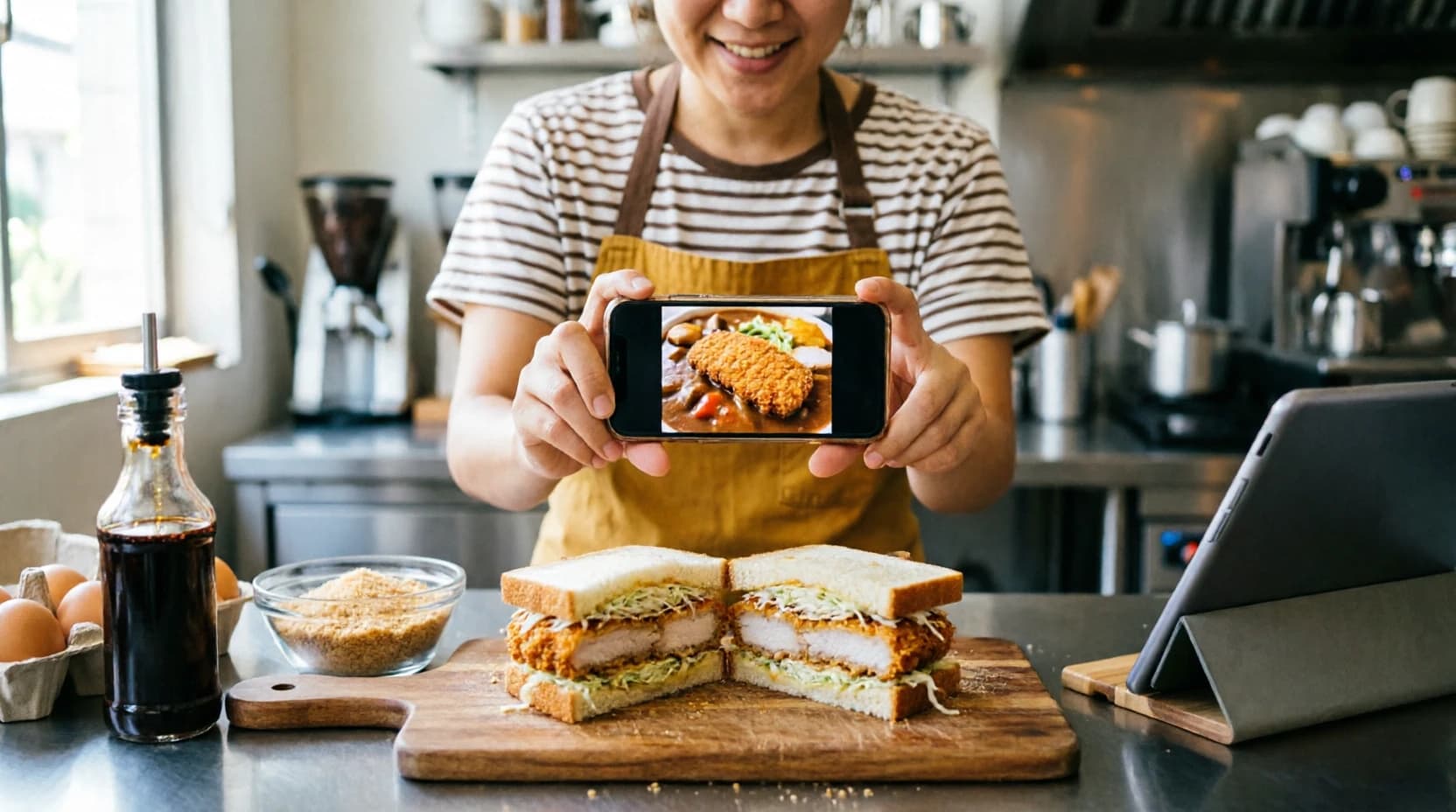
In short: a food photo becomes a dish you sell in four steps. Find out what the dish is and what goes in it, cost one plate before you cook a batch, price it so ingredients are about a third of the price, and run it as a two-week special before it earns a permanent place on the menu.
It usually starts with a photo. A sandwich on someone's feed with a cutlet so crisp you can hear it. A bowl at a market stall with a queue in front of it. A plate at a friend's café that you keep thinking about on the way home.
Three questions follow straight away: what is it called, what goes in it, and how is it cooked? A shop owner has a fourth one the home cook never asks, and it is the one that decides everything: what will one plate cost me, and what can I charge for it?
How do you find the recipe for a dish from a photo?
Ask the seller, search for similar dishes, or use an AI recipe tool such as Kasenso's Recipe Maker, which names the dish from the photo and writes its ingredients, quantities and cooking steps. Then cook a test batch, cost one serving, price it so ingredients are about a third of the price, and sell it as a two-week special.
The rest of this post walks through each step with a worked example: a crisp katsu cutlet seen in a photo, turned into a chicken katsu sandwich, then costed and priced for a small café.
What new dishes should I add to my menu?
Most good additions come from somewhere close to what you already do. In rough order of how often they work:
- A twist on your best-seller. Your top item already proves people trust you with it. A spicy version, a bigger size or a rice bowl version of the same thing is the lowest-risk new dish there is.
- Ingredients you already stock. A dish built mostly from what is already on your shelf costs almost nothing to try and reduces waste on what you have.
- What customers ask for. Two people asking for the same thing in a week is market research you did not pay for.
- A dish you saw somewhere else. A photo online, a stall at a market, a café in another city. This is where the most exciting ideas come from, and where the costing matters most, because you know the least about it.
- What is in season. Cheap, plentiful produce makes a good short-run special, and its low cost gives you room on price.
Will a new dish fit your kitchen?
A dish can be delicious, popular somewhere else, and still wrong for your shop. Five checks before you cook anything:
| Check | Good sign | Warning sign |
|---|---|---|
| Ingredients | Half or more already on your shelf | Five new items bought just for this |
| Cooking time | Ready in your normal ticket time | Ten minutes longer than everything else |
| Equipment | Uses a station you already have | Needs a fryer, oven or grill you do not own |
| Peak hour | One cook can make it in a rush | Needs a second person to plate |
| Price | Lands near your current prices | Twice your most expensive item |
The ingredient check matters most. Every new ingredient is something more to buy, store, count and throw away when it goes off. A dish that needs five of them has to sell a lot to pay for the shelf space.
What is this dish called? Identifying food from a photo
If you know the name, you are halfway there. If you only have a photo, the old way was to ask the seller, search for something that looks similar, or guess.
Kasenso's Recipe Maker does this step from the photo itself. Take a picture or choose one from your phone, leave the dish name blank, and it identifies the dish, names it, and writes a recipe for it. If you do know the name, add the photo anyway: it helps match that version, its portion size and the ingredients you can see.
It also recognises when a photo is not something you can cook, rather than inventing a recipe for it.
What ingredients does it need, and how is it cooked?
A useful recipe for a shop has three parts a home recipe often skips:
- Quantities for a whole batch, and how many servings that batch makes, so you can cost one plate.
- Plain cooking steps a cook can follow during service, not a story.
- A price for every ingredient, so the recipe tells you what it costs, not only how it tastes.
Recipe Maker returns all three: the ingredients with batch quantities, the number of servings, a typical market price for each ingredient in your own currency, and the cooking steps in order. Ingredients you already stock show your own price instead of the estimate.
Treat it as a first draft. The prices are estimates of typical market prices, not quotes, so change them to what you actually pay. Then cook it, taste it, and trust your own quantities over the draft's.
How much does a new dish cost to make?
Cost the batch, then divide by the servings. Here is the katsu sandwich, as a batch of eight:
| Ingredient | Batch quantity | Price | Cost |
|---|---|---|---|
| Chicken thigh, boneless | 1.2 kg | $7.50/kg | $9.00 |
| Milk bread | 2 loaves | $3.50 each | $7.00 |
| Panko breadcrumbs | 300 g | $6.00/kg | $1.80 |
| Katsu sauce | 240 ml | $8.00/litre | $1.92 |
| Frying oil, used | 500 ml | $3.00/litre | $1.50 |
| Eggs | 3 | $0.30 each | $0.90 |
| Cabbage | 400 g | $1.50/kg | $0.60 |
| Flour | 150 g | $1.20/kg | $0.18 |
| Batch total | $22.90 |
$22.90 ÷ 8 servings = $2.86 a sandwich in ingredients. Add a $0.25 box, and one sandwich costs $3.11 to put in a customer's hand.
Two things in that table are easy to miss. The frying oil is only the share the batch uses up, not the whole bottle. And the packaging is a real cost on every takeaway order even though it is not food. Leave either out and the dish looks more profitable than it is.
What should you charge for a new dish?
A common target for a food business is ingredients at around 30–35% of the selling price. To get the price, divide the cost by the target:
$3.11 ÷ 0.35 = $8.89, so round to $9.00. At $9.00, ingredients are 35% of the price, and each sandwich leaves $5.89 to pay for staff, rent, power and profit.
Then sense-check it against the menu you already have. If your other sandwiches sell at $6, a $9 one needs to look and taste like the special it is, or the cost will need to come down: a smaller cutlet, a cheaper bread, a sauce you make yourself.
Recipe Maker suggests a selling price aimed at that same 30–35% range, and shows the cost per serving, food cost % and profit each updating as you edit quantities and prices. The free pricing calculator does the same sum for any dish: enter a cost of $3.11 and a 65% profit margin and it gives the same $8.89. And how to price your menu covers the rest of the decision, including margin versus markup.
How do you use Kasenso's Recipe Maker?
Recipe Maker is being switched on business by business. If you don't see it under Menu / Product, ask the Kasenso team to turn it on for your shop. Once it is on:
- Open Menu / Product → Recipe Maker.
- Type the dish name, add a photo, or both. With only a photo, it names the dish for you.
- Tap Make recipe. It needs an internet connection and takes a few seconds. There is a daily limit on new recipes, ten by default.
- Review everything. Fix quantities, change the prices to what you pay, remove anything you won't use, and adjust the suggested price and menu category. The cost per serving, food cost % and profit each update as you go. Nothing touches your shop until you say so, and the draft is kept under Saved recipes if you want to finish later.
- Tap Add to inventory, recipes & menu. In one step it adds each new ingredient to your inventory, saves the recipe per serving, and puts the dish on your POS as an available product. Ingredients you already have are reused, not duplicated, and new ones start at zero stock, so restock them as usual. This step works offline and syncs when your signal returns.
- Finish the product. Add packaging, sizes or add-ons from your menu and choices, sizes and add-ons.
From then on, every sale takes the ingredients out of stock, so the dish's real cost shows up in your reports without any extra counting. See track inventory and stock levels.
How do you test a new dish before it goes on the menu?
Sell it as a special for two weeks before you print it on the menu board. Two weeks covers both quiet and busy days, and a "special" label makes it easy to drop without anyone feeling a favourite has gone.
Watch four numbers over the trial:
| What to watch | Where to find it | Keep it if |
|---|---|---|
| Units sold a day | Sales reports | It sells steadily, not just on day one |
| Profit each | The product's recipe cost | It stays near what you planned |
| Wastage | Wastage report | You are not throwing out its ingredients |
| What it replaced | Your other items' sales | It added orders, not just moved them |
The last one is the trap. A new dish that sells 20 a day looks like a hit, but if your old sandwich dropped by 18 a day at the same time, you have mostly swapped one sale for another, and you now stock the ingredients for both.
Also re-weigh a few portions after the first week. Cooks get generous with a dish they are still learning, and the cost in the recipe only holds if the plate matches it. See recipe yields.
When should you take a dish off the menu?
When it sells slowly and its ingredients are not used anywhere else. A slow-selling dish that shares its ingredients with your best-seller costs little to keep. A slow dish with three ingredients of its own is paying rent on shelf space and slowly turning into wastage. Check the product ranking in your sales reports once a month, and let the bottom two items earn their place or go.
The short version
Find out what the dish is and what goes in it, from the name or the photo. Cost one serving with packaging included before you cook a batch. Price it so ingredients are around a third of the price, and check that against what you already charge. Make sure it fits your kitchen and your busiest hour. Then sell it as a two-week special and keep it only if it adds orders rather than moving them.
Kasenso keeps the recipe, the cost per serving, the stock and the sales for the new dish in one place, so you can see whether it works in two weeks rather than guess, on the free plan, permanently.
Frequently asked questions
What is a good new dish to add to a menu?
The safest new dish is a variation of something you already sell well, or one made mostly from ingredients you already stock. It costs little to try, adds little waste, and your customers already trust you with it. Dishes seen elsewhere can work too, but cost and test them first.
Can I find out what a dish is from a photo?
Yes. You can ask the seller or search for similar dishes, or use an AI tool. Kasenso's Recipe Maker identifies a dish from a photo, names it, and writes a recipe with ingredients, quantities, prices and cooking steps. Treat the result as a first draft and cook it before you sell it.
How do I work out the ingredients and recipe of a dish I saw?
Start from the dish name or a photo and build a batch recipe: every ingredient with a quantity, the number of servings it makes, and plain cooking steps. Then cook a test batch, taste it, and adjust quantities until it matches what you want to serve.
How do I calculate the cost of a new dish?
Add up the cost of every ingredient in one batch, divide by the number of servings, then add packaging. A katsu sandwich batch costing $22.90 that makes eight servings comes to $2.86 each, or $3.11 with a $0.25 box.
How much should I charge for a new menu item?
Divide the cost per serving by your target food cost percentage, commonly 30–35%. A dish costing $3.11 priced at a 35% target comes to $8.89, rounded to $9.00, leaving $5.89 per sale. Then check that price against similar items already on your menu.
How long should I test a new dish before adding it permanently?
About two weeks, sold as a special. That covers quiet and busy days. Watch daily units sold, profit per serving, wastage of its ingredients, and whether it added new orders or only took sales from your other items.
Is it okay to copy a dish from another restaurant?
Making your own version of a dish is how most menus grow, and an ingredient list is not usually protected the way a written recipe text or a photo can be. Do not use another shop's photos, brand name or trademarked dish name. Give your version your own name and photo.
Does Kasenso's Recipe Maker add the dish to my POS?
Yes. After you review the recipe, one tap adds the new ingredients to inventory at zero stock, saves the recipe per serving, and puts the dish on your POS as an available product. Recipe Maker is switched on business by business, so ask the Kasenso team if you don't see it.