Track sales and inventory in one free POS.
For restaurants, cafés, and retail shops. Works on any phone or tablet.
No credit card required. Or download it for Android.
Who it's for
Built for the way you sell.
Pick what your shop sells when you sign up, and Kasenso shows the screens that fit. Change it any time — nothing is deleted.
Why Kasenso
Big-brand POS systems are priced and built for big chains. Kasenso is built for small business — every order, every gram of inventory, every shift, visible in real time.
What it costs
Nothing.
Every feature is free — not a trial, not a countdown. Point of sale, inventory, barcode scanning, unlimited staff, the kitchen display, online ordering and analytics, all included. There is no paid tier and nothing to unlock.
What's inside
Everything the counter and the stockroom need.
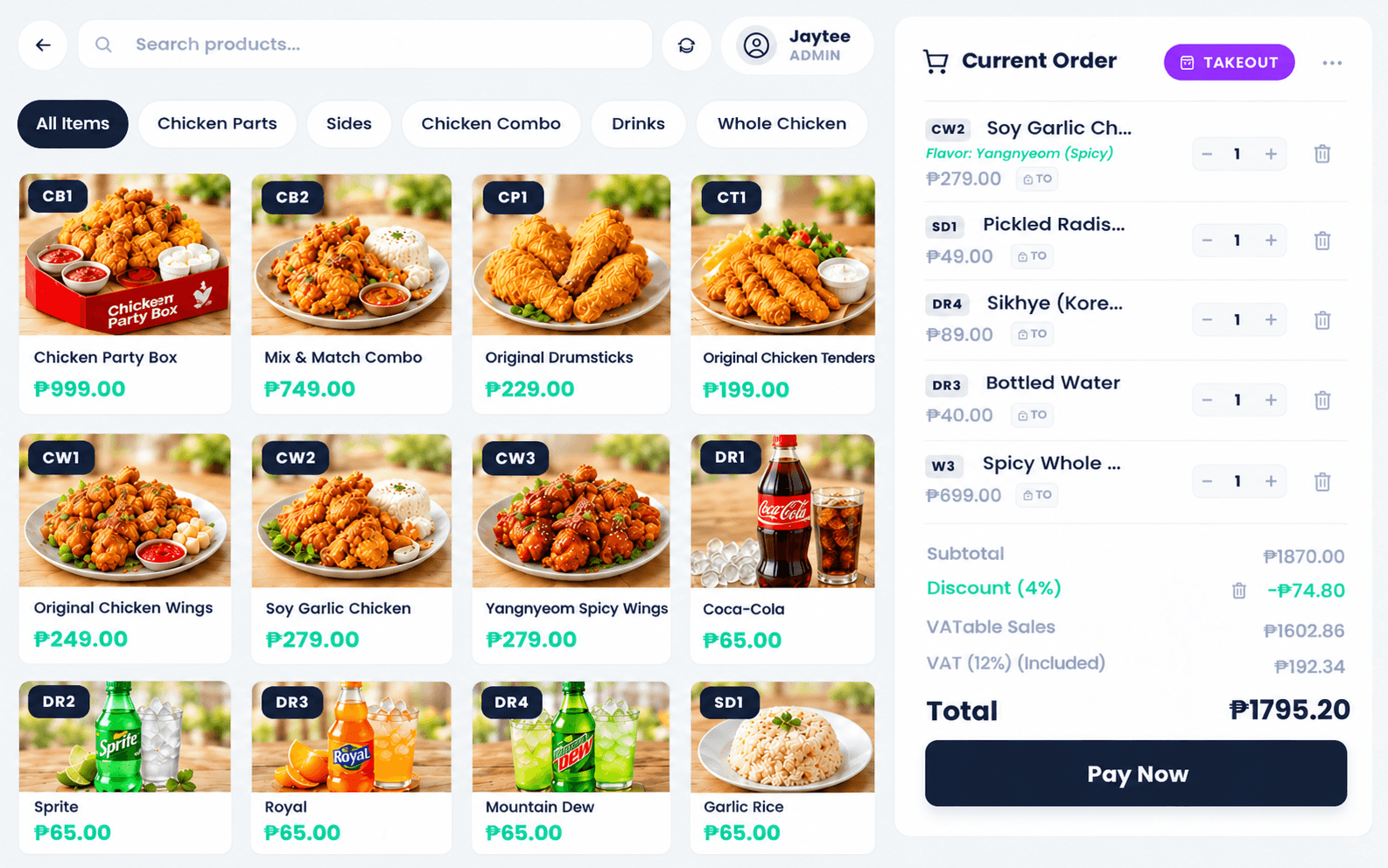
Point of Sale & Shifts
Touch-first selling with shift open and close, void control, returns, and daily sales at a glance. Built for the busiest hour of your day.
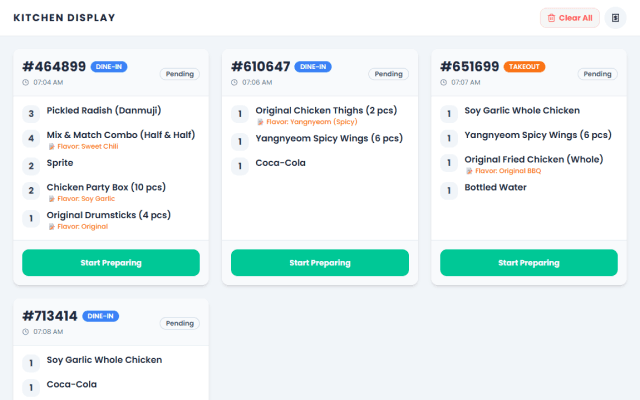
Kitchen Display
Orders land in the kitchen the moment they're placed. No paper tickets. No shouting across the pass.
Menu, Products & Promos
Set up your menu or product list once, change it anytime. Sizes, add-ons, discounts and promos — without filing a support ticket.
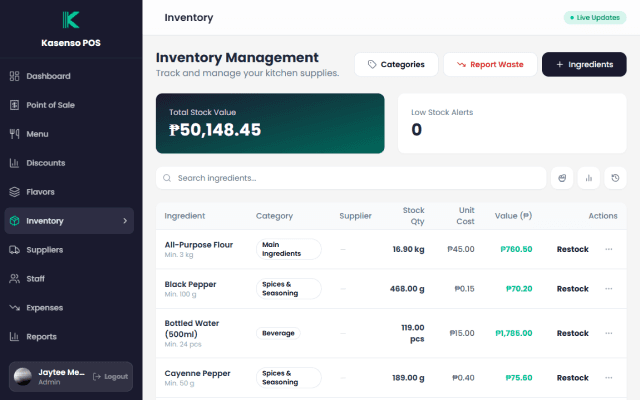
Inventory & Wastage
Recipes take ingredients off stock as you sell, and shelf goods keep their own count. Track wastage down to the gram and know what your stock really costs, every day.
Barcodes & Spreadsheets
Scan barcodes with a USB or Bluetooth scanner, or the phone's own camera. Bring your whole catalogue in from Excel or Google Sheets, and export it back to change prices in bulk.
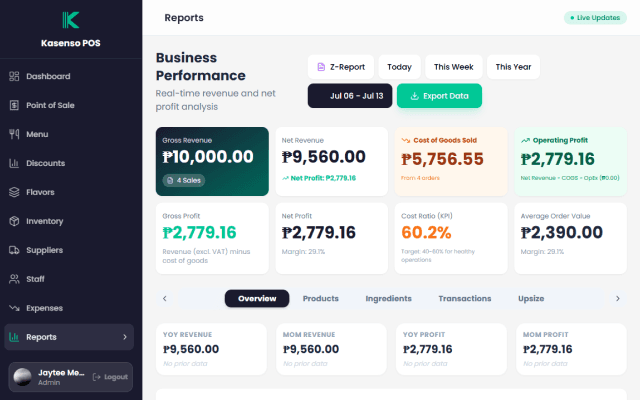
Reports & CSV Export
Sales, voids, expenses, and waste in one place. Export everything to CSV in one tap — your accountant will thank you.
Staff & Roles
Cashiers see the register. Admins see everything. Access is decided by you and enforced automatically.
Barcode scanning
No scanner? Use your phone.
The camera is already in your hand.
Tap Scan beside the till's search box and hold each item up to it. It goes into the order with a beep, and the camera stays open for the next one. When the counter gets busy, plug in a USB or Bluetooth scanner — both work the same way.
Scan at the till
Each item lands in the order with a beep, whatever category is on screen.
Scan to set up
Every product's Barcode box has the same Scan button, so adding stock is point and shoot.
No internet needed
The barcode is read on the phone itself — it works offline, and nothing is sent anywhere.
Offline mode
The internet goes down.
The rush doesn't.
Kasenso keeps taking orders with no connection. Every sale is saved on the device and syncs to the cloud automatically the moment you're back online.
Keep selling
Take orders and print receipts with zero signal — the register never stops.
Auto-sync
Queued sales upload themselves the moment the connection returns.
Nothing lost
Every order is safe on the device until it reaches the cloud.
How it works
Live in an afternoon.
Create your account
Sign up, name your shop, and choose what you sell: food, retail goods, or both. The system is yours in minutes.
Add what you sell
Add your dishes and recipes, or your products with their stock — typed in, or imported from a spreadsheet.
Start selling
Open a shift and take the first order. Every sale syncs to the cloud in real time.
From the blog
Ideas for your shop.
Ready when
you are.
No credit card required.
Now on Google Play
Install it on the tablet or phone you already have. Same account as the web app — sign in and your menu, staff and sales are already there.