Why a restaurant needs a restaurant POS, not a retail one
October 5, 2026 · Jott Myth · 11 min read
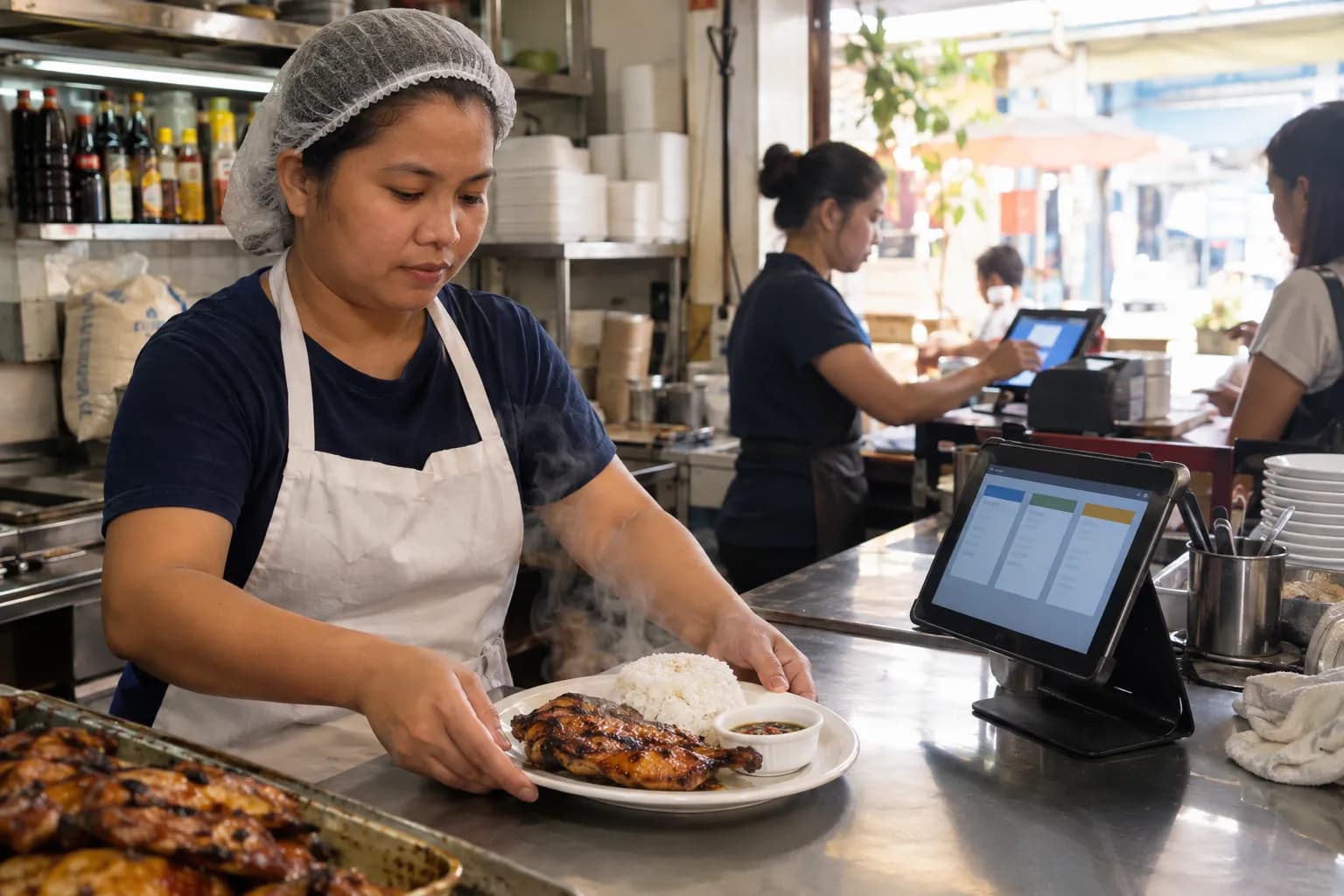
Most point-of-sale systems were designed for shops. A customer brings a bottle of shampoo to the counter, the barcode is scanned, one bottle leaves the shelf, the sale is done. It is a sensible design, and for a convenience store or a hardware shop it is exactly right.
Then someone opens a café, a bubble tea stall or a twelve-table restaurant, buys the same kind of till, and spends the next six months wondering why the numbers never quite add up.
The problem is not the cashier or the owner. It is one assumption built into the software.
What is the difference between a restaurant POS and a retail POS?
A retail POS is built for shops that sell what they buy: one item comes in, the same item goes out, and stock is counted in the units you sell. A restaurant POS is built for businesses that sell what they make: each dish has a recipe that deducts its ingredients, a cost that moves when those ingredients change price, options like sizes and add-ons, and a way to get the order to the kitchen.
That sounds like a small distinction. It is not. Chicken comes in by the kilo, rice by the sack, cups by the hundred. What goes out is a plate of grilled chicken with rice, a large brown-sugar bubble tea with extra pearls, a party tray of noodles. None of those existed when the delivery arrived.
Everything that goes wrong when a restaurant runs on a retail POS comes from that gap. Here is where it shows.
Your stock counts plates, not chicken
A retail till tracks stock in the unit you sell. In a restaurant, that unit is a plate, and you do not keep plates of grilled chicken on a shelf. So the stock screen is either empty or fiction, and the real stock — the chicken, the rice, the oil — lives in a notebook or in someone's head.
A restaurant POS works the other way. Each dish carries a recipe: 0.25 kg of chicken, a cup of rice, one container, one sauce sachet. Every sale deducts those ingredients automatically, so you see the chicken running low in the afternoon instead of discovering it at seven in the evening with a queue at the counter.
It also has to understand that food changes when you cook it. You buy rice raw and serve it cooked, and a kilo of raw rice becomes roughly three kilos on the plate. A retail system has no idea what to do with that. A restaurant one lets you set the yield once and counts in the unit you actually serve.
Your food cost is a guess
In retail, the cost of an item is what you paid for it. Simple.
In a restaurant, the cost of a dish is the sum of everything in it, and every one of those ingredients moves. Say chicken goes from $4.00 to $4.60 a kilo. At 0.25 kg a plate, that is $0.15 more per serving. Sell 80 plates a day and it is $12 a day — about $360 a month — gone from your profit without a single price on the menu changing.
A retail POS will not tell you that happened, because it never knew what was in the plate. A POS with recipes works out each dish's cost from its ingredients, so when you update what chicken costs you, every dish that uses it shows its new cost and margin — which is what tells you whether your menu price still works.
Your menu becomes a hundred near-duplicates
A bubble tea comes in three sizes, five flavours, two sugar levels and a list of add-ons. In a retail system each combination is a separate product, so the menu explodes into "Wintermelon Large 50% Pearl" and its eighty cousins, and the cashier scrolls through them while the line grows.
A restaurant POS treats those as choices on one product: size, flavour, sugar, add-ons, each with its own upcharge and — just as important — its own stock deduction. The extra pearls come out of the pearl stock, and the large cup comes out of the large-cup stock.
The sale is the start of the work, not the end
In retail, payment finishes the transaction. In a restaurant, payment is when the work begins. The order has to reach the kitchen, someone has to cook it, and someone has to know when it is ready.
A retail till prints a receipt for the customer and stops. A restaurant POS sends the order to the kitchen — on a ticket, or on a kitchen display that moves each order from pending to cooking to ready, so nobody is shouting across the counter or squinting at a smudged slip.
It should also know what not to send. A bottled softdrink is finished the moment it is paid for. A kitchen screen full of tickets for drinks already handed across the counter is how cooks stop trusting the board.
Dine-in, takeout and delivery are not the same sale
To a retail POS, every sale is a sale. To a restaurant, a dine-in order and a delivery order of the same dish are different: one uses a plate, the other a container, a bag, a spoon and fork, and sometimes a delivery fee.
A restaurant POS asks for the order type at the start of each order, deducts packaging only when it is actually used, and splits your reports so you can see whether that delivery arrangement is earning its keep.
Food spoils, burns and falls on the floor
Retail stock rarely goes bad overnight. Restaurant stock does, constantly — rice that sat too long, a tray that burned, a marinade that turned in a power cut.
A retail system calls all of that "shrinkage" and leaves it unexplained. A restaurant POS lets you record wastage with a reason, so you can see that you throw out a kilo of rice every Monday and cook less on Mondays.
Service charge is not a tax
Many dine-in places add a service charge. A retail POS usually has a tax field and nothing else, so the service charge gets squeezed into it — and suddenly money that belongs to you is reported as money owed to the government.
A restaurant POS keeps the two apart: tax is collected for someone else, the service charge is your revenue and counts in your profit.
The difference at a glance
| A retail POS assumes… | What actually happens in a restaurant |
|---|---|
| You sell what you buy | You sell what you make from ingredients |
| Stock is counted in units sold | Stock is counted in kilos, litres and pieces |
| Cost is the purchase price | Cost is the sum of a recipe, and it moves |
| Each variation is its own product | One product, many sizes, flavours and add-ons |
| Payment ends the transaction | Payment starts the cooking |
| Every sale is the same | Dine-in, takeout and delivery cost differently |
| Lost stock is shrinkage | Food spoils, and you need to know why |
Questions to ask before you choose
Whatever system you are looking at, ask the seller these, and ask them to show you on the screen rather than tell you:
- Can a dish have a recipe that deducts raw ingredients when it sells?
- When an ingredient's price changes, does every dish that uses it show its new cost?
- Can one product have sizes, flavours and add-ons, each with its own price and its own stock deduction?
- How does an order reach the kitchen?
- Can I record wastage with a reason, and see it in reports?
- Does it handle dine-in, takeout and delivery separately?
- Does it keep taking orders when the internet drops? A restaurant cannot stop serving because the signal did — see working offline.
- Will it run on the phone or tablet I already own?
If the answer to the first two is no, the rest barely matters. You will still be costing your menu in a notebook.
When a retail POS is fine
To be fair to it: if nearly everything you sell is bought and resold unchanged — a convenience store, a corner shop with a coffee machine by the register — a retail POS is the right tool, and it will be simpler.
Most real shops are mixed. A café sells cooked food and bottled water. A good restaurant POS handles both: dishes with recipes, and resold items that deduct one-for-one like they would in a store. In Kasenso, those are products marked Sold as-is, and they skip the kitchen screen because there is nothing to cook.
Kasenso does the retail side too. A shop that only resells goods can switch to retail mode, where each product keeps its own stock count, with barcodes, SKUs and sale by the metre or the kilo. A shop with a real shelf of goods next to its kitchen — a café selling bags of beans and mugs, a canteen with a grocery shelf — can choose Food & retail and set each product as made here or sold as bought.
Frequently asked questions
What is a restaurant POS?
A restaurant POS is a point-of-sale system built for businesses that cook what they sell. Besides taking payment, it links each dish to a recipe so sales deduct raw ingredients, works out each dish's food cost, handles sizes, flavours and add-ons, sends orders to the kitchen, and separates dine-in, takeout and delivery.
Why can't a restaurant just use a retail POS?
It can take payments, but it cannot see inside a dish. A retail POS counts stock in the units you sell, so it tracks plates instead of chicken, rice and oil. It cannot tell you what each dish costs to make, it has no route to the kitchen, and it has nowhere to record food that spoils.
How does a restaurant POS track inventory?
Through recipes. Each dish lists the ingredients one serving uses — for example 0.25 kg of chicken, one cup of rice and one container. Every time the dish is sold, those quantities are deducted from stock automatically, so you see an ingredient running low before it runs out during service.
How much can the wrong POS cost a restaurant?
Mostly in costs you cannot see. If chicken rises from $4.00 to $4.60 a kilo and each plate uses 0.25 kg, every plate costs $0.15 more to make. At 80 plates a day that is about $360 a month in lost profit, and a retail POS will not show it because it never knew what was in the plate.
When is a retail POS the right choice?
When nearly everything you sell is bought and resold unchanged, such as a convenience store or a corner shop. If you cook, mix or assemble most of what you sell — a café, bubble tea shop, bakery, food truck or restaurant — you need a restaurant POS.
Can one POS handle both cooked food and resold items?
Yes. Cooked dishes use recipes, while resold items such as bottled water deduct one-for-one like they would in a store. In Kasenso, a few resold items can be marked Sold as-is, and a shop with a full shelf of goods can choose Food & retail, where each product is either made here or sold as bought.
Is there a free restaurant POS?
Yes. Kasenso is a free restaurant POS for small food businesses. Recipes, choices and add-ons, a kitchen display, order types, wastage tracking and offline selling are all on the free plan, with no credit card or contract, and it runs on the phone or tablet you already own.
The short version
A retail POS is built around a shelf. A restaurant is built around a kitchen. Run a kitchen on a till designed for a shelf and you lose sight of the three numbers that decide whether you survive: what your stock really is, what each dish really costs, and what you throw away.
Kasenso was built for small food businesses — recipes, choices, a kitchen display, order types and wastage are all in the free plan, on the phone or tablet you already have. It also has a retail mode for shops that sell goods, and Food & retail for shops that do both, so the same till works whichever kind of shop you run.